 "
"
Do you really need 100+ features in your company intranet solutions?






TL;DR
- You need to assess your daily requirements before you invest in a SaaS company intranet solution with 100+ features.
- You can assess your requirements based on the following core factors:
- Usability
- Scalability
- Sociability
- If you’re a small to mid-sized company that needs a flexible intranet solution, Woffice has your back with the following advantages:
- Cost efficiencies
- Quick set up
- Customizable & flexible
- Scales at your pace
- Strong collaboration
- Modern UI/UX with all-new celestial skin
- AI integration
Company intranet solutions: Why 100+ features go unused?
‘Technology works only when people work with it.’ – Woffice
That’s what we at Woffice believe should be considered in each company’s intranet solution. Ask yourself whether your intranet solution is usable, scalable, and sociable. Let’s break down each component for clarity!
Usable: Is the intranet easy for employees to use, or does it feature what you need?
Scalable: Can the intranet expand as the company and user base grow?
Sociable: Does the intranet encourage interaction among employees?
If you’re a small to medium-sized team looking for WordPress-based company intranet solutions with only the features you need, you’re in the right place! Our product team has nurtured Woffice, not to avoid any blame, but to increase the adoption and affordability among teams like yours.
So, let’s move on and learn how a modern intranet solution shouldn’t have to be feature-heavy or forcefully impose every feature it has on the user.
Why do intranets with 100+ features start to break?
Especially when you don’t need the heavy feature palette, you may start to realize that your decision to choose such an intranet platform starts to fail after the purchase, not before. (Well, you might be saved if you’ve not yet purchased one and are still considering the reviews of the best candidates!)
We’re not here to discourage any of those large intranet platforms designed and developed by the globally talented teams, because in the end, everything boils down to your specific requirements. If you need 100+ features and you have a complex enterprise structure, do look for those, as Woffice might not be the best candidate for you (maybe, it could be if you can adjust with the flexibility of WordPress!)
You could relate to the following scenario if, in the past, you’ve encountered any such experience:
Most feature-heavy intranets win during demos, but they fail during everyday use. On day one, employees log in and feel overwhelmed by menus, icons, and tools they were never asking for. By week two, only a few features are used regularly. By month three, the intranet quietly turns into a digital notice board instead of a working space.
Again, features are not bad to have! The real problem lies when you select these features based on their presence and not on what teams could actually need. Most of the tools aren’t designed for your specific workflows, but rather developed for complex enterprise scenarios.
You can quickly go through the following checklist before choosing the final contender:
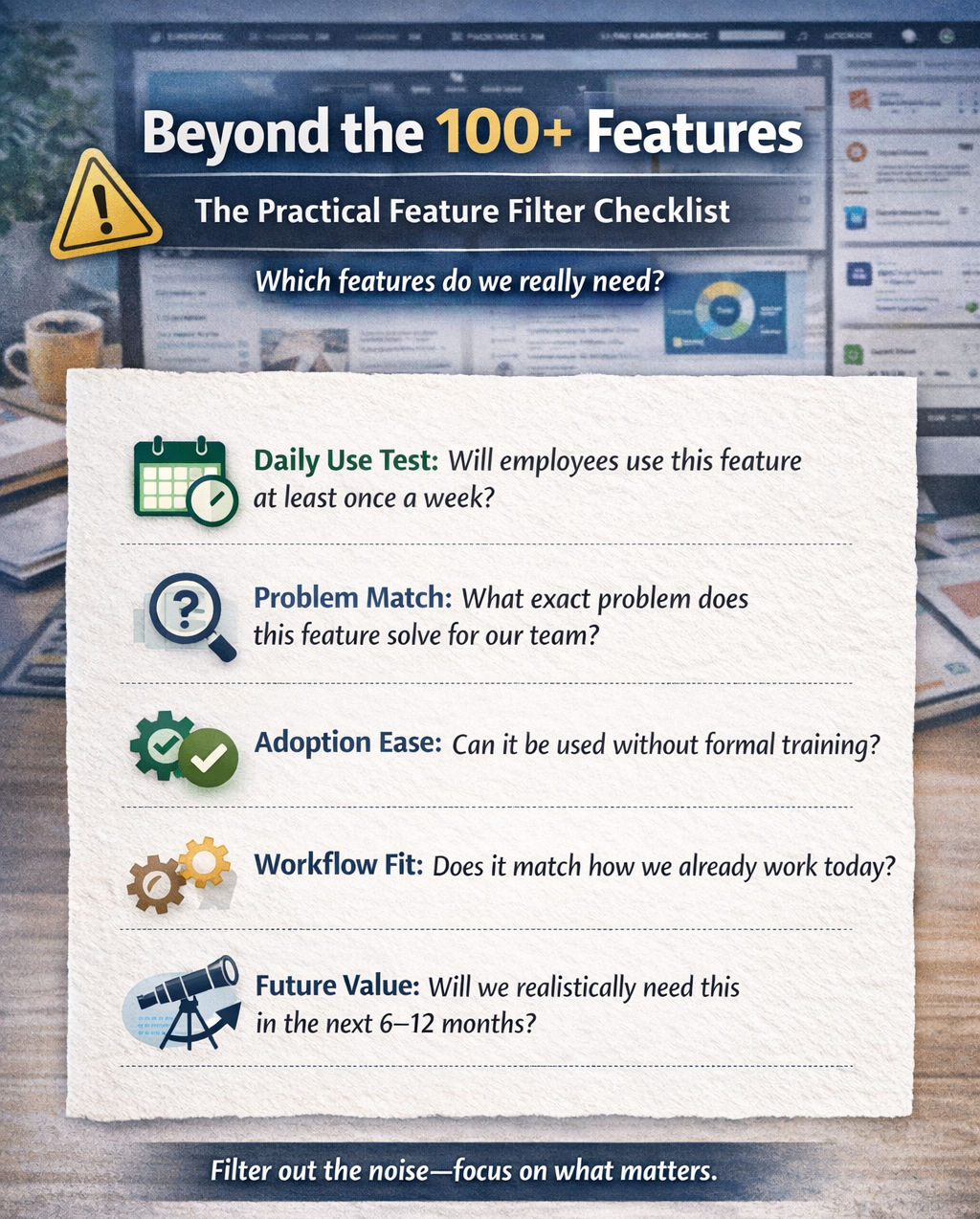
This is how you can choose a company intranet solutions that support real teamwork rather than investing merely into impressive list of features. And, this is where modular, flexible WordPress-based intranet/extranet solutions like Woffice stand out, allowing teams to start with only what they need and expand intentionally with addons to enhance functionality.
Why a WordPress intranet CMS would make more sense than heavy SaaS intranets?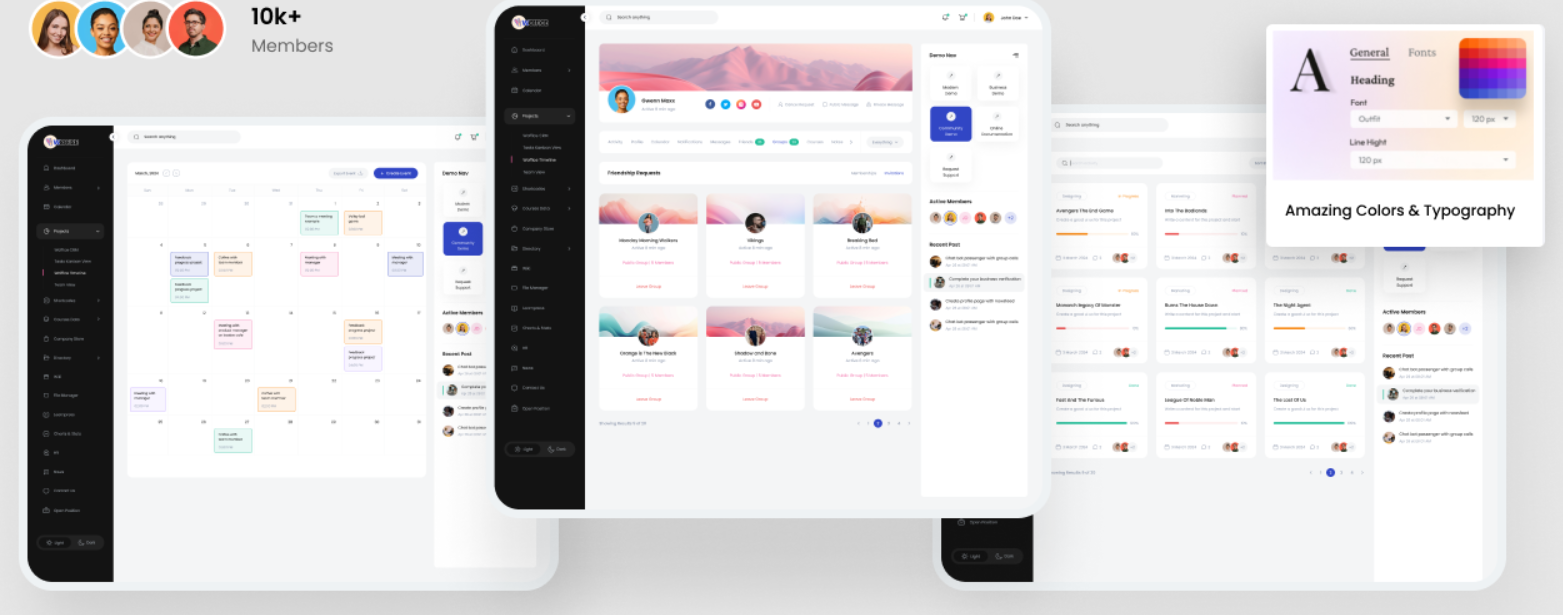
If you’re a small to medium-sized company, a WordPress intranet CMS like Woffice is an ideal fit for you due to the following benefits, along with super responsive, talented support assistance.
Cost efficiencies
As we all know, enterprise intranet platforms charge per user, per month, and it’s a good pay-as-you-go model, but the prices are usually on the higher end. If you compare the pricing of a SaaS intranet platform with the pricing of a WordPress-based intranet CMS solution, that’s quite noticeable.
For sure, pricing doesn’t matter or justify itself when you need all the features you get in that pricing. But what if your team size or company requirements don’t demand such complexity? Here, you need to count in pricing! Moreover, our pricing plans are curated for each user type, support multiple sites, and save you a huge amount of money.
Faster to set up
With a WordPress-based intranet CMS, you won’t have to go through long hours of tutorials or support team interactions for setup. As it’s WordPress, even a tech noob can handle the beginner setup. Not only that, we’ve developed Woffice keeping in mind the simplicity and modernity factor. So, you get both simple-to-use yet modern features in Woffice.
On the contrary, SaaS intranet platforms are built with a high level of sophistication and depth. Thus, a newbie tech guy, for sure, can’t juggle that solution on the first go.
You will have to go through loads of extensive documentation (which Woffice also provides, but you may not frequently need to visit that!), support team meetings, and learn the mechanism or purpose behind each feature. So, if you can’t invest this much time in small to medium-sized company intranet needs, you can get started with a simple yet multipurpose and scalable WordPress theme, Woffice.
Flexible and customizable
As small and medium-sized companies often have unique workflows, it’s not easy for them to adapt to any enterprise-scale platforms. Thus, Woffice comes in picture with all the customization features you need.
Moreover, you can build a secure intranet/ extranet WordPress site using Woffice with its own addons and various other security plugins. On the contrary, SaaS intranets usually limit customization to a pinpoint scale that you can do with WordPress themes and related addons.
Scales at your pace
I think we’ve already stressed this point a little extra. Scalability is accessible through the ability to access multiple site licenses, as seen in Woffice. Generally, Woffice is ideal for up to 500 users, depending on factors such as your web hosting. You can add users without extra per-seat costs. For further scalability needs, you can either get in touch with our support team or try upgrading your hosting, if needed.
Brings strong collaboration features
Enterprise intranet SaaS platforms (like Staffbase, Workvivo, Interact, Simpplr) are built for large organizations with thousands of users and complex governance needs. Theme-based intranets like Woffice are built on WordPress and are designed for small to medium-sized organizations that value flexibility and ownership. Please do check our features page for better clarity.
| Feature | Enterprise intranet SaaS | Theme-based intranet (Woffice) |
| Target team size | 500 – 50,000+ users | 10 – 500 users |
| Pricing model | Per user/subscription | Yearly subscription without any per-user cost |
| Hosting | Vendor-managed cloud | Self-hosted or managed |
| Customization | Limited | High |
| Set up time | Weeks to months | Days |
| Ease of use | High, but fixed | High and flexible |
| Collaboration tools | Advanced but predefined | Practical and configurable |
| Mobile apps | Native mobile apps | Responsive web/ plugins |
| Security & compliance | Enterprise-grade | Hosting dependent & can extend with security plugins |
| Integrations | Deep enterprise integrations | Plugin-based integrations |
Features modern UI/UX
In 2026, it’ll be too traditional to say that multipurpose themes like Woffice only feature classic skin. Yes, we have classic skin, but we have designed a modern, interactive celestial skin to match today’s intranet aesthetics. You can further read this blog to know more about the features, layout, and design aesthetics of Woffice celestial skin. So, we’re a true contender and are among the competitors of large-scale SaaS intranet platforms in terms of interface appearance.
Who Is Woffice Best For?
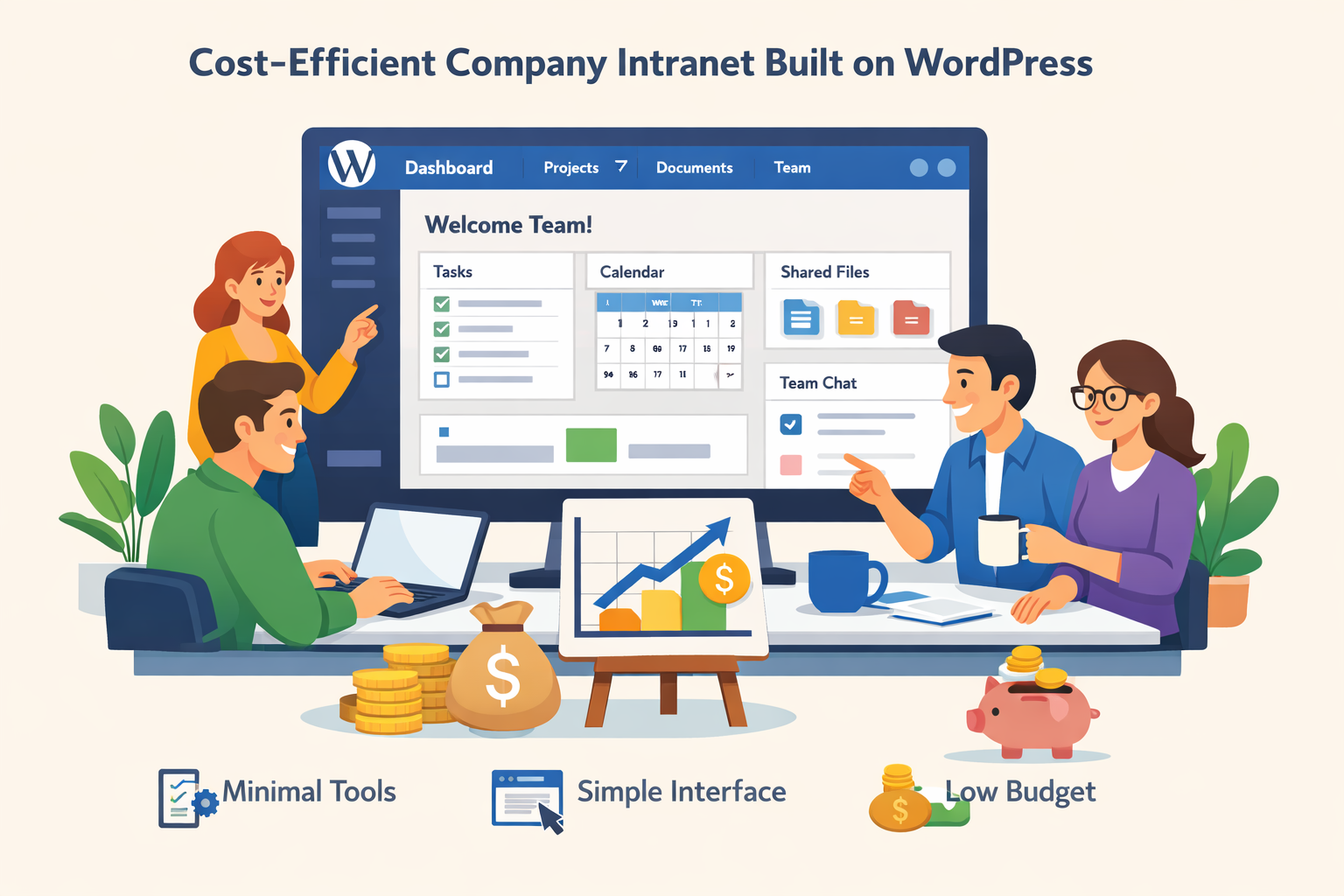
Woffice is a strong fit for small to medium-sized companies that need a private, organized digital workspace. It works especially well for e-learning platforms, online communities, training institutes, and growing teams that rely on collaboration, shared knowledge, and internal communication, all without the cost or complexity of large enterprise intranet tools.
Final words
Thus, the smarter approach is always intentional simplicity for small to medium-sized teams. Start with what your people actually need. Make it easy to use, and let it grow with you.
This is why WordPress-based company intranet solutions like Woffice resonate with e-learning platforms, communities, training institutes, and growing teams. You get ownership, flexibility, and collaboration tools that fit real workflows.
So, before asking ‘How many features does this intranet have?‘, analyze the decision based on the feature usability.
Frequently asked questions
Can I build a company intranet website using WordPress?
Yes, you can easily build a fully functional intranet or extranet website with Woffice and its multipurpose addons, made especially to enhance the theme’s functionality from the ground up. Being hosted on a flexible CMS platform and compatible with plugins like BuddyPress, Woffice brings true social features to make your company, school, or any other niche community an interactive intranet hub.
How to set up a WordPress intranet site?
You can use WordPress’s built-in user management to build an intranet, combined with plugins for login control, private pages, and role-based permissions. Then, you can gradually add other functionalities, such as internal blogs, file management, and shared calendars, as the need arises.
However, as the intranet grows, managing multiple plugins and ensuring everything works well together becomes a more challenging technical task. Compatibility issues, scattered settings, and inconsistent user experiences are common challenges when features are added one by one. Thus, many teams prefer using a dedicated WordPress intranet theme that already brings these core features together in a single, cohesive setup to avoid these hurdles. It offers all the essential intranet or extranet features right within a single theme, with addons for added functionality.
What’s the best WordPress plugin for creating custom intranets?
A couple of plugins, when combined with the compatible WordPress theme, can help you build an interactive intranet. If you want to build a learning intranet community, plugins like LearnPress or LearnDash are good to go. At the core level, the BuddyPress plugin is also required to add the social features an intranet has. Then, you can use plugins like WooCommerce to add ecommerce functionality, WP Pro Calendar, or EventON to add calendar functionality, and bbPress, etc., to add form functionality. If you struggle to find compatible addons and themes manually, you can get started with the multipurpose intranet/extranet theme Woffice that features all these functionalities.
Is WordPress Multisite a good option for managing a main site, intranet, and client portal?
Not always. If everything shares the same users, content, and admin team, a single WordPress setup with proper user roles is often simpler and easier to manage. Multisite works best when you’re running many independent websites. For intranets and client portals, a unified setup usually scales better and avoids unnecessary complexity.
Discover other blogs below to make the most of Woffice:
https://woffice.io/how-to-build-employee-intranet-portal/
https://woffice.io/access-extranet-with-your-companys-intranet/
https://woffice.io/wordpress-intranet-for-digital-workplace/
https://woffice.io/woffice-6-1-0-version-new-celestial-skin/