
 "
"
Why Smart Teams Use OKR Project Management Feature in Woffice?






Setting OKRs isn’t a big deal, but managing teams surely is! Your team might have also experienced the same, that the goals written in Q1 are almost forgotten by Q2. And that’s where moving the needle thing never happened!
The frustration is real regarding managing the OKRs, especially when your focus is too invested in learning the complex tools. So, ‘should we use OKRs?’ isn’t the question now! The real debate is ‘where and how should you manage your OKRs?’
In this blog, we break down how dedicated OKR tools are structured, and why Woffice’s intranet-based OKR project management add-on might succeed for relevance and ease of management.
What Standard OKR Project Management Looks Like?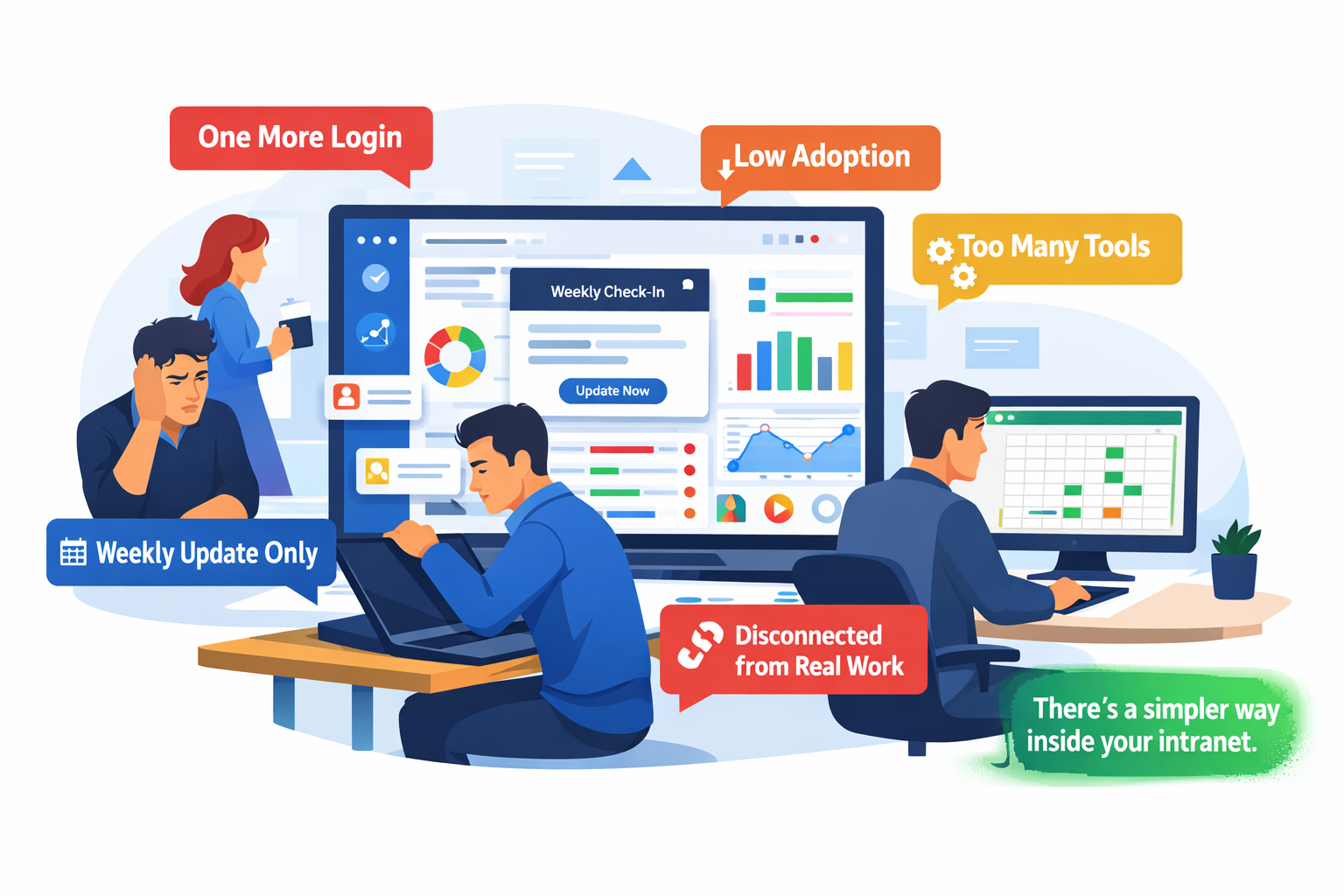
Most dedicated OKR tools are built to the same standards. You will see a dashboard, progress bar, weekly check-in prompts, or maybe integrations like Slack, etc., if you get lucky. It looks fancy, a must-have tool when presented.
But the user experience fails drastically when you actually practice these tools. They may become a platform where your team logs in once a week, updates a number, and then forgets about it.
It’s not a hypothetical write-up published by a content marketer who hasn’t experienced the pain points firsthand. Teams are actually facing serious issues with complex OKR tools, mostly in the same pattern. Here, it goes like:
- You buy the dedicated tool
- Onboarding takes longer than expected
- Adoption drops off
- The team quietly slides back to a shared Google sheet
So, this is where the problem lies. The biggest issue is that the tool lives outside where the actual work happens. Teams have to go through one more tab, one more login, and one more system that will lose its value with each use due to the complexity involved.
With the Woffice OKR addon, you won’t have to go outside your company’s intranet theme to set goals. It all happens in a single place with zero complexity of tool usage and learning involved.
What Defines an Intranet-Based OKR Project Management Tool?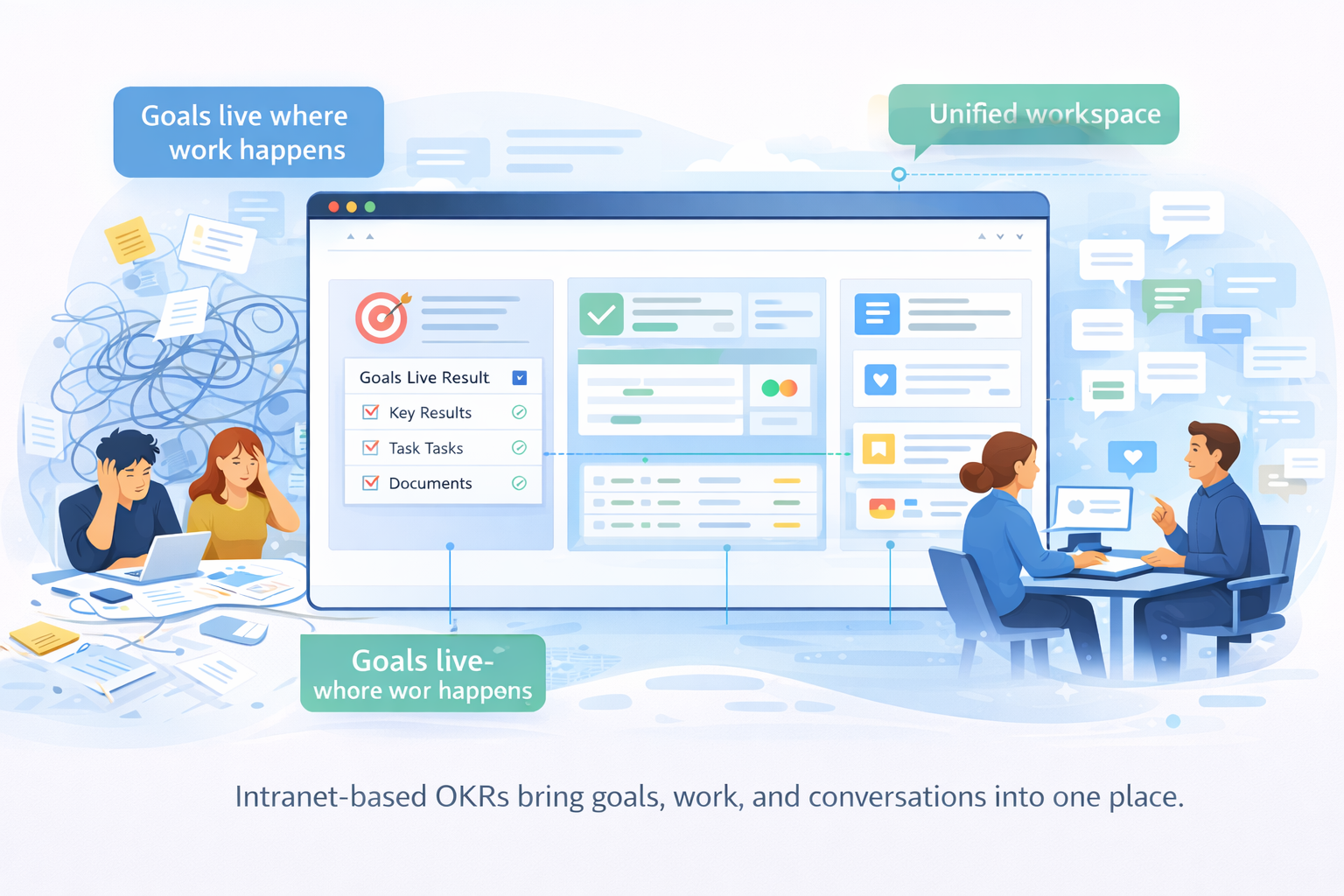
An intranet-based OKR project management tool lives within your company’s intranet space. Instead of jumping between a goal tool, a task board, a doc folder, and a team chat, everything lives in one place.
But here’s where it gets honest. Setting up an intranet that actually does all this isn’t always easy. You’ll find people wrestling with SharePoint configurations, Confluence sprawl, or DIY stacks that took months to stitch together. The frustration is real.
The difference is intent. A good intranet isn’t a file cabinet. It’s where your team thinks, works, and communicates. Goals belong there. Not because it’s convenient, but because that’s where the context lives. When OKRs sit next to the actual work, discussions stop being status updates and start being real conversations.
OKR Tools Vs. Intranet OKR Management
Integration and Context
Dedicated OKR tools are good at tracking metrics. But that’s also their limitation. You end up screenshotting progress bars into slide decks just to give people context.
Intranet OKRs don’t have that problem. The goal, the task, the doc, the conversation, all live in the same place. The context isn’t something you have to build. It’s already there.
Simplicity for Small and Solo Teams
Not every team needs enterprise-grade OKR infrastructure. Small teams want somewhere to write a goal, break it down, and track it without a two-hour onboarding call.
A well-set-up intranet can flex to fit one person or a fifteen-person team. You’re not forced into a workflow designed for a 500-person org. You build what you need.
Transparency and Discoverability
With traditional OKR tools, visibility requires effort. Invites, logins, permissions, training. Half your team won’t check it unless someone reminds them.
Intranet OKRs show up where employees already go. Same place they read announcements, find documents, and check tasks. Goals don’t get buried. They stay visible without anyone having to push them.
Customization vs. Fixed Workflow
Most SaaS OKR tools have a strong opinion about how you should run OKRs. That works well if your team fits their model. But many don’t. And bending your process to match a tool’s structure creates more friction than it removes.
Intranet platforms let you build around your team’s actual habits. The structure serves you, not the other way around.
Reality Check
Spend an hour reading OKR threads on Reddit, and a pattern emerges fast.
Product managers admit they’ve gone back to spreadsheets because the tools their company bought don’t match how their team actually works. Small teams say they want something simple, not another platform to manage on top of everything else. Sysadmins are tired of stitching together five different tools to get something that should come standard.
Nobody’s asking for more features. They’re asking for less friction.
And underneath all of it is the same need. They need one place where goals, tasks, communication, and context live together. Not connected through integrations. Actually together.
That’s the gap intranet-based systems are built to fill. Goal alignment and execution in the same space where work already happens.
When Do You Need A Dedicated OKR Project Management Tool?
This deserves a straight answer. Dedicated OKR tools aren’t broken. For some teams, they’re genuinely the right call.
If your organization already has a mature OKR process with consistent adoption across departments, a standalone tool gives you clean reporting and structured accountability that’s hard to replicate elsewhere. If leadership needs heavy analytics, cross-team rollups, and detailed progress visualizations, purpose-built platforms handle that well.
And if your company is already deep in a vendor ecosystem built around a specific OKR platform, the switching cost rarely makes sense.
But for teams that haven’t reached that level of OKR maturity yet, or simply don’t need it, the overhead rarely pays off.
How Woffice Executes the Intranet-Based OKR Project Management?
Woffice is a powerful WordPress intranet and extranet theme built for internal collaboration. It brings your team, projects, communication, and knowledge into one centralized workspace.
Woffice helps you manage everything inside your WordPress intranet. And that’s where the Woffice OKR Add-on comes in. It’s designed to execute OKR-based project management directly inside your intranet.
Create OKRs Easily
Creating OKRs is straightforward.
You can set the following from the backend:
- Add a title
- Write a short description
- Define objectives
- Set key results
Edit Objectives With Full Control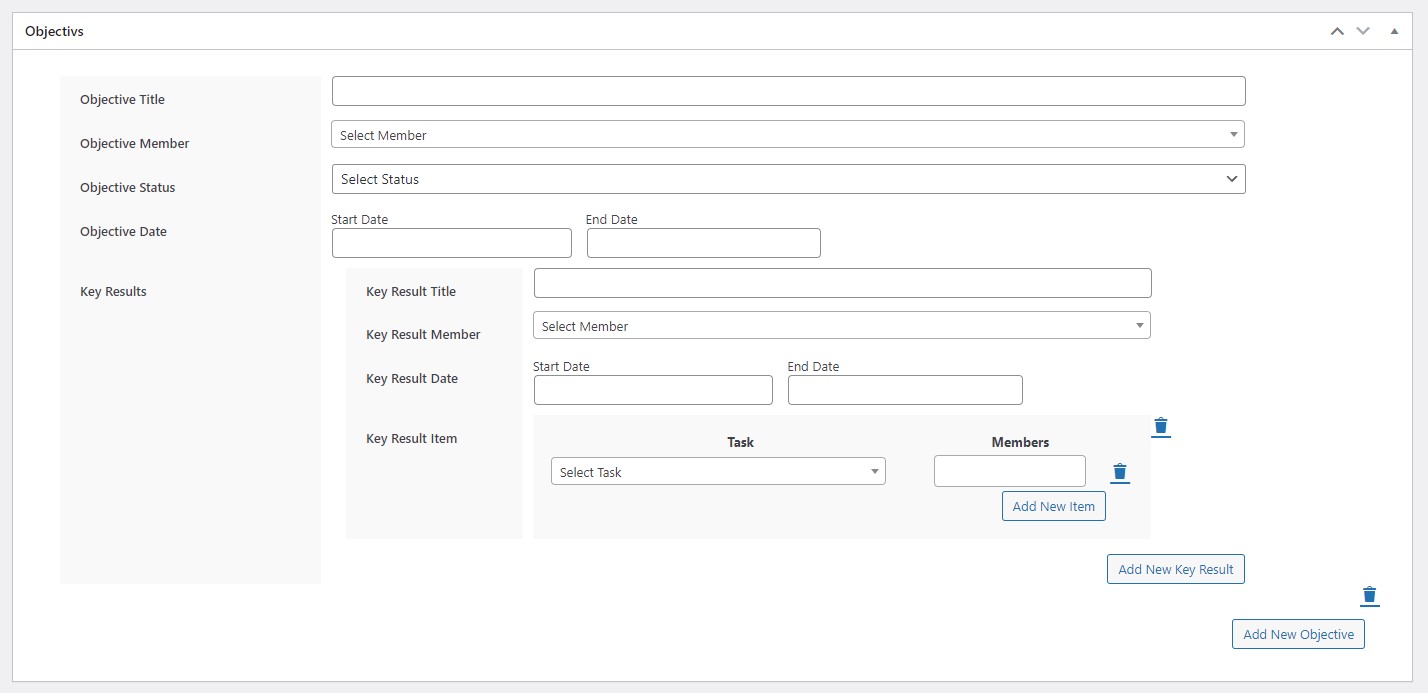
The editor allows you to define:
- Objective title
- Assigned Member
- Status
- Due date
- Key results (with detailed information)
This keeps accountability clear. Everyone knows who owns what. And by when.
Enable Email Notifications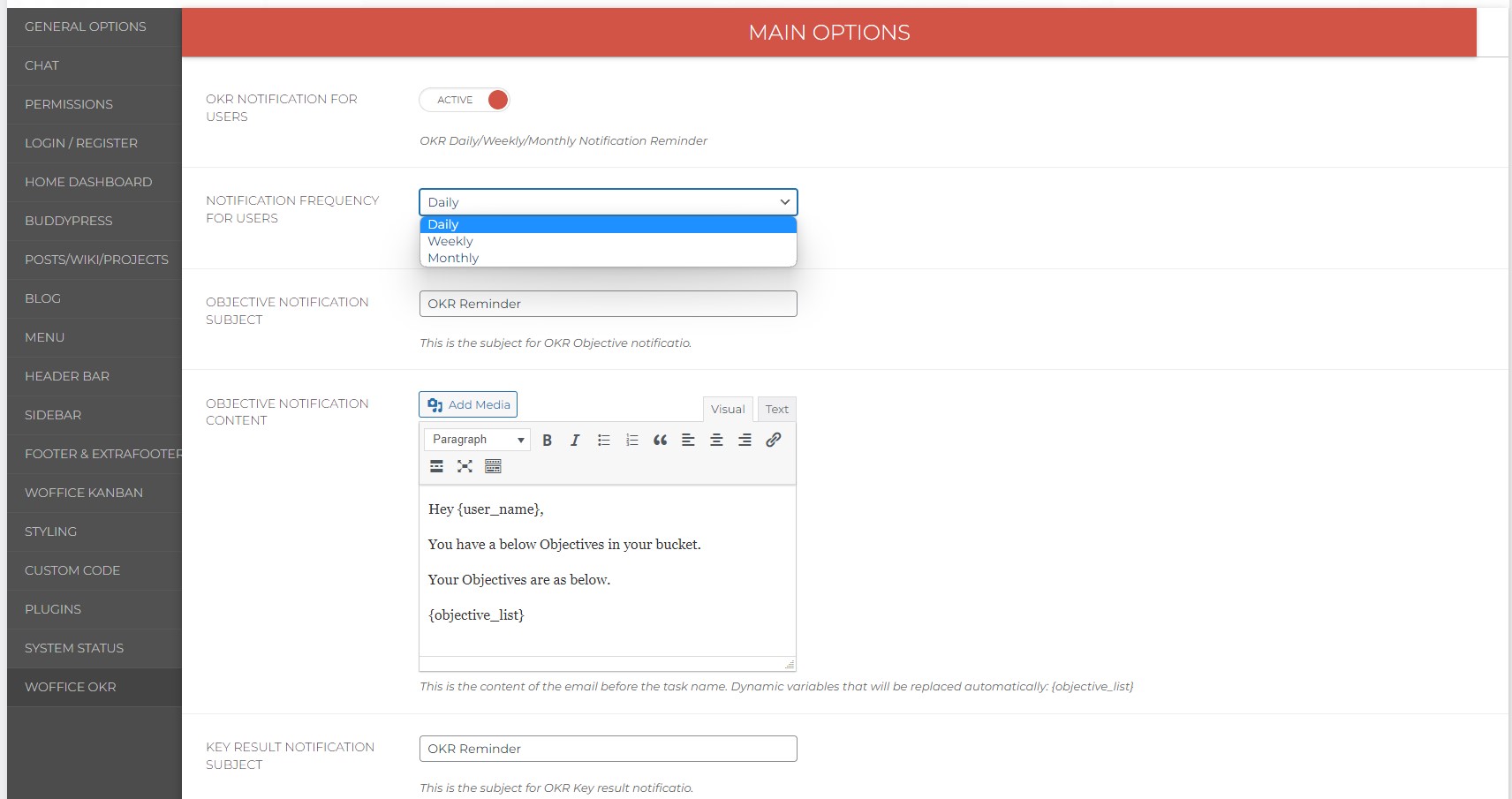
You can activate OKR notifications easily. Go to Appearance → Theme Settings → Woffice OKR
You can set the following from there:
- Notification frequency
- Subject lines
- Email content
Customize Emails Your Way
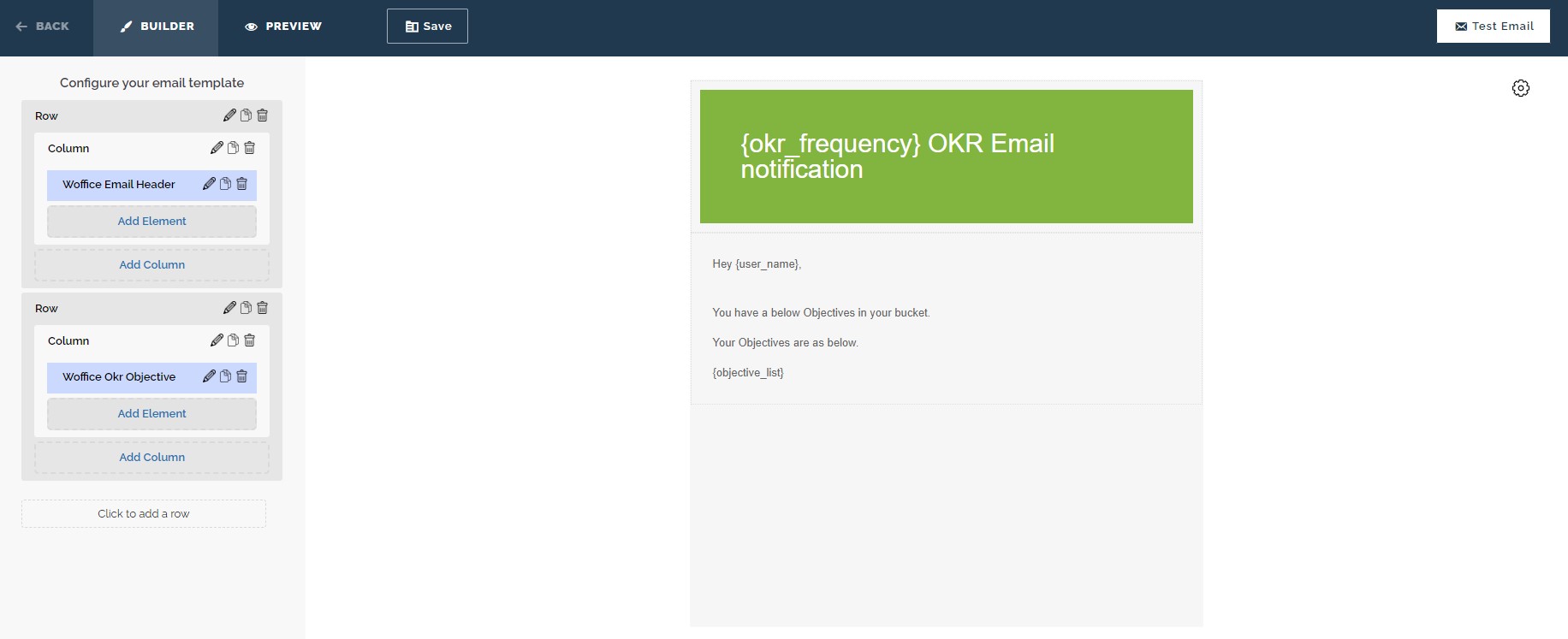
Use the built-in email customizer to design notifications that match your brand.
You can:
- Create a new template
- Use ready-made sample templates
- Adjust layout and messaging
Display Single OKRs for Focus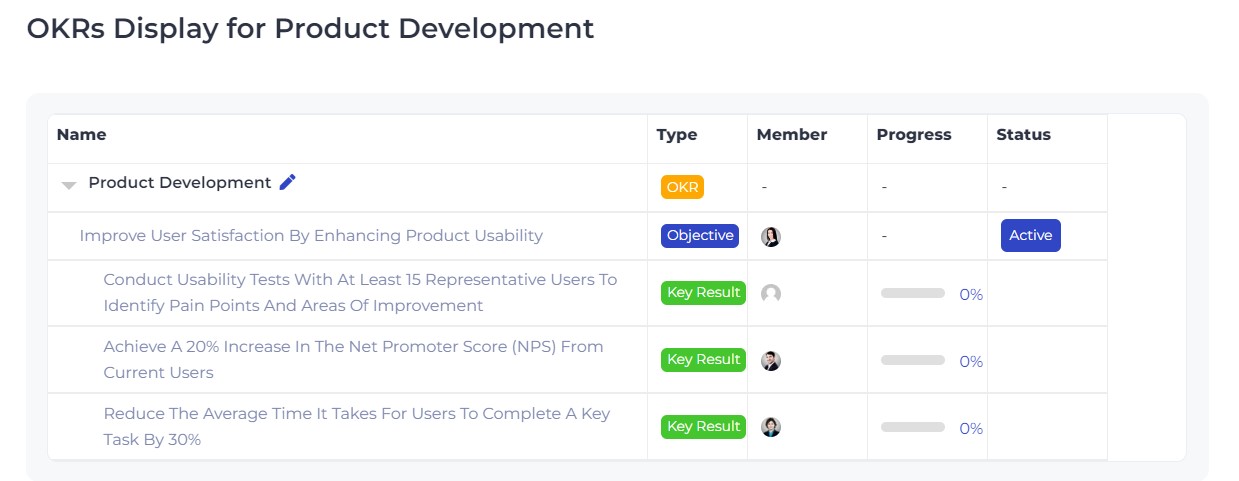
You can display a single OKR on its own page. This brings clarity without any distractions.
Display All OKRs in One Place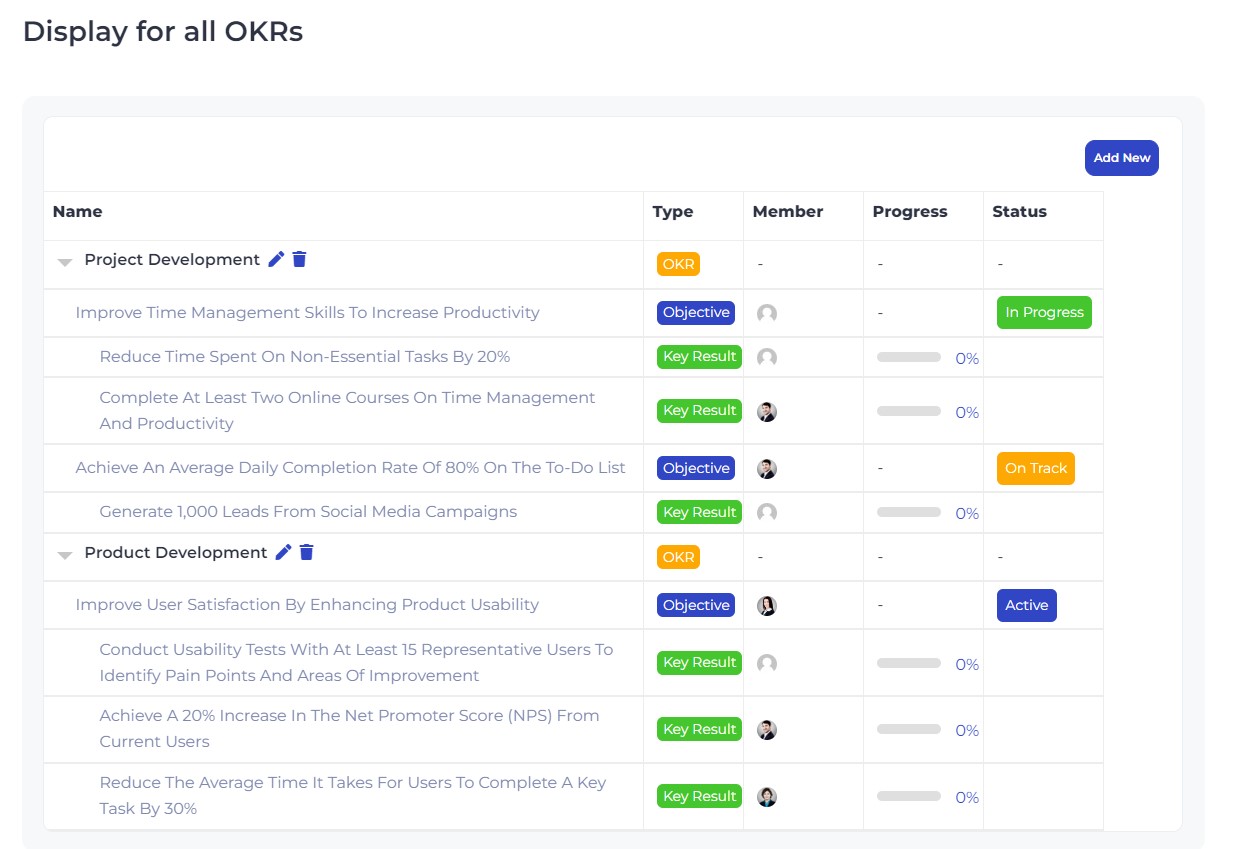
Want a complete overview? You can create a page that displays all OKRs.
From there, team members can see:
- Objectives
- Status
- Key results
Organize with OKR Categories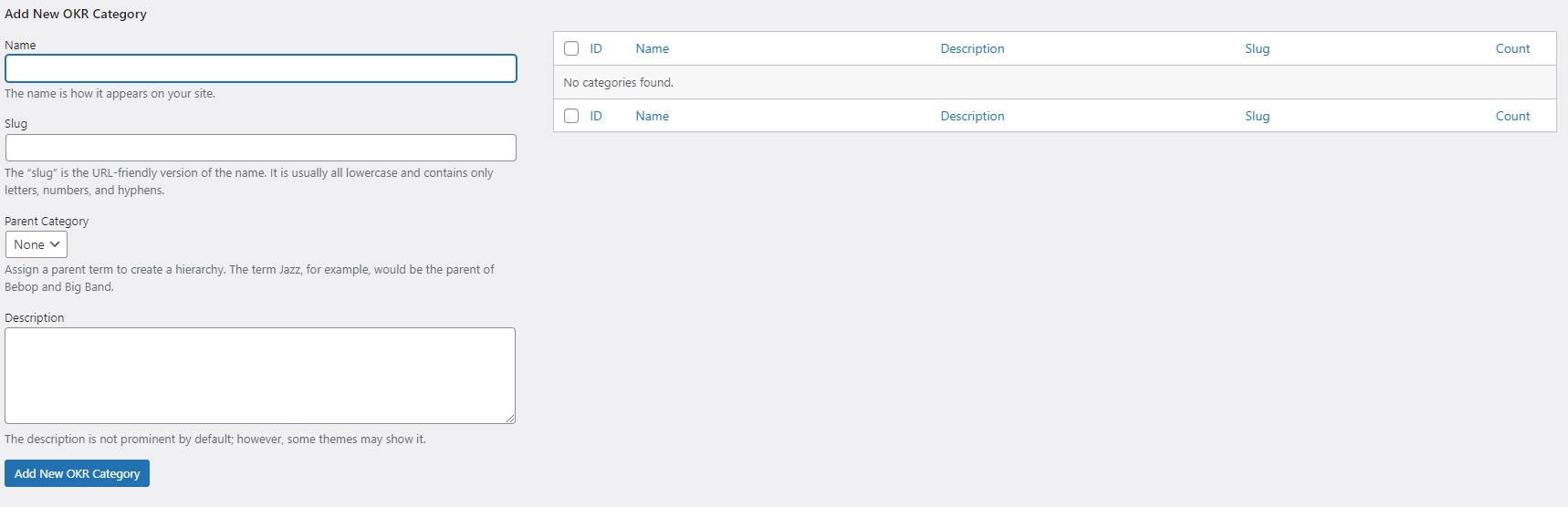
OKR Categories work like tags. You can group OKRs by:
- Department
- Quarter
- Team
- Project
This makes searching and filtering simple.
Thus, OKRs, when live inside your WordPress intranet, give you the following advantages:
- Goals align with projects
- Teams collaborate in the same system
- Discussions, tasks, and updates stay connected
- No switching between tools
A WordPress intranet like Woffice gives you full ownership, flexibility, scalability, and lower long-term costs as compared to SaaS tools. If you’re starting, instead of buying the theme and standalone Woffice OKR, explore our pricing plans here. You’ll find bundled project management add-ons and other add-ons like task management, etc., available at a much lower combined cost.
Happy OKRing!