
 "
"
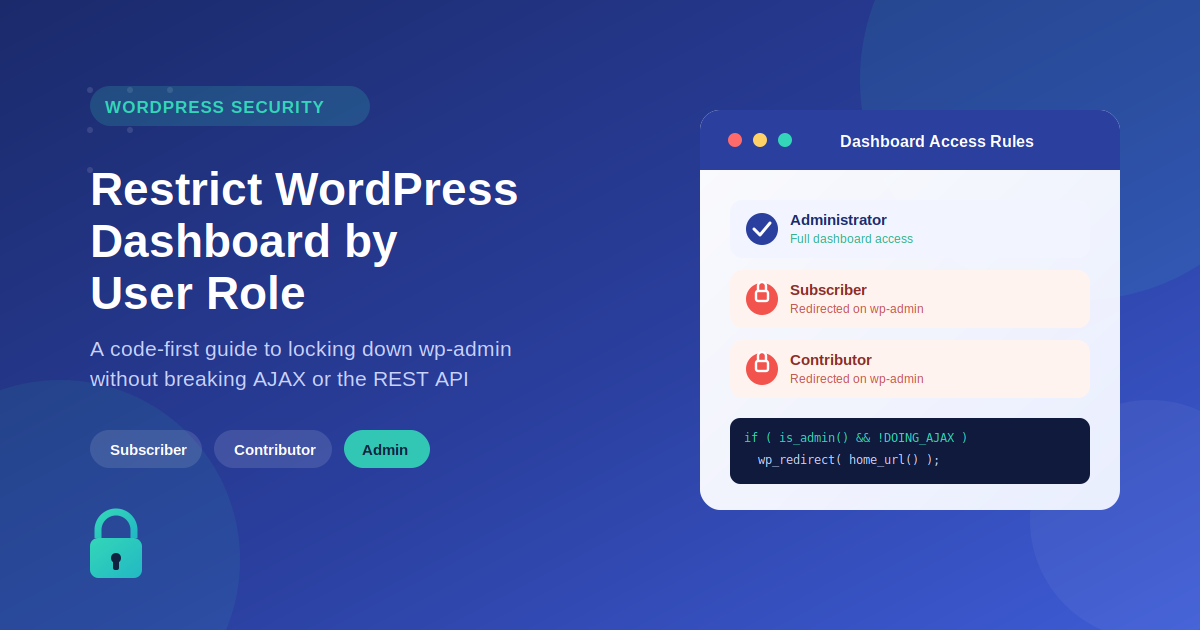
Restrict WordPress Dashboard Access by User Role (Without Breaking AJAX or REST API)






TL;DR
If you need to restrict WordPress dashboard access by user role, avoid the common mistake most site owners make: blocking /wp-admin/ without accounting for AJAX calls, which also route through that same admin path and can silently break your site’s frontend functionality. The fix is a short snippet using is_admin() combined with a check for DOING_AJAX, hooked into init rather than admin_init. For sites with several roles to block, you can also compare a user’s capabilities against a $block_access_to array instead of writing repetitive OR statements. Beyond AJAX, don’t forget the REST API — it can expose the same data even when wp-admin itself is locked down, so authentication checks need to cover both. If you’re running an intranet or membership site on Woffice, though, you can skip the custom code entirely: Woffice includes built-in, role-based access control that automatically redirects subscribers and custom roles to a frontend dashboard experience, with no functions.php editing required.
An overview
You could think “I just need to install a plugin, there are at least a dozen of plugins that do this”. That’s true, there are a lot of plugins that limit the access to the dashboard of WordPress, but are you sure that a plugin is always the best choose?
If you want limit the access to your WordPress dashboard avoiding side effects, or if you tried to do it programmatically by yourself and something gone wrong, this is the article which you are looking for.
Why avoid to use a plugin
There are a lot of plugins that can help you to achieve this result.
So why should you hide your WordPress dashboard programmatically, instead of use one of these plugins? Because an elevated number of plugins can cause many side effects. Foremost it can increase the loading time of your site, making it slower and unpleasant for your users. In addition you have to update periodically one more plugin and, if the plugin is not longer updated and supported by its author, it could become a security risk for all your site.
In my opinion, there is really no reason to take these risks, because you can achieve the same result just writing down very few lines of code.
Use Woffice to avoid writing lengthy code
If you’re using a WordPress intranet theme like Woffice, you may not need to manually restrict dashboard access with code.
Woffice already includes built-in role-based access control. Subscribers and custom user roles can be automatically redirected away from /wp-admin and guided to a frontend dashboard experience — without modifying functions.php or dealing with redirect logic.
This is especially useful for:
- Internal company portals
- Membership websites
- Team collaboration dashboards
Instead of maintaining custom code, you can manage access rules visually inside Woffice settings.
👉 Learn more about Woffice features here: https://woffice.io/features/
👉 See how it works in action: https://woffice.io/demos/
Hide the WordPress dashboard avoiding the AJAX trap
As I told, it’s possible to limit access to the dashboard with few lines of code, it’s actually just a redirect with an if statement, so why many customers have failed and asked us support for this easy task? Because they have not considered the AJAX trap.
So let me show you the wrong way to achieve it. Usually the code of our customers was something like that:
add_action( 'admin_init', 'my_custom_dashboard_access_handler');
function my_custom_dashboard_access_handler() {
   // Check if the current user has admin capabilities
   if ( !current_user_can( 'manage_users' )) {
      wp_redirect( home_url() );
      exit;
   }
}
What is wrong in this code? Actually there is nothing really wrong, but there is something missing. Using this code, you forget that every ajax call handled by WordPress is sent to www.yoursite.com/wp-admin/wp-ajax.php which is an admin page. This mean that the code below blocks every ajax call of your site.
In the light of this new consideration, this is the working code:
// Coould be better adds the function to the 'init' hook and check later if it's an admin page
add_action( 'init', 'my_custom_dashboard_access_handler');
function my_custom_dashboard_access_handler() {
   // Check if the current page is an admin page
   // && check if the current user has admin capabilities
   // && and ensure that this is not an ajax call
   if ( is_admin() && !current_user_can( 'manage_users' ) && ! ( defined( 'DOING_AJAX' ) && DOING_AJAX )) {
      wp_redirect( home_url() );
      exit;
   }
}
NOTE: You may read around that current_user_can( 'manage_users' ) and current_user_can( 'administrator' ) return always the same result. This is wrong because current_user_can( 'administrator' ) creates troubles in multisite installations, because it return false for superadmins.
A) REST API Access Control
REST API Access Control (Often Forgotten)
Many developers restrict wp-admin access using is_admin() or login redirects, but in modern WordPress sites the REST API still remains exposed.
To restrict API access based on user roles, you can use:
add_filter(‘rest_authentication_errors’, function ($result) {
if (!is_user_logged_in()) {
return new WP_Error(‘rest_forbidden’, ‘You must be logged in.’, array(‘status’ => 401));
}
return $result;
});
This ensures unauthenticated users cannot bypass dashboard restrictions via REST endpoints.
B) Better Redirect Strategy (intranet-focused upgrade)
Add near redirect section:
Instead of always redirecting users to the homepage, intranet systems often benefit from redirecting users to a dedicated frontend dashboard.
Example:
wp_redirect(site_url(‘/dashboard’));
exit;
In platforms like Woffice, this is typically handled automatically via frontend role dashboards.
Limit access to the admin panel only to certain roles
If you want to limit the access to many specific roles and you want avoid to add such many OR statement, you can do in this way:
// Could be better adds the function to the 'init' hook and check later if it's an admin page
add_action( 'init', 'my_custom_dashboard_access_handler');
function my_custom_dashboard_access_handler() {
   // Check if the current page is an admin page
   // && and ensure that this is not an ajax call
   if ( is_admin() && !( defined( 'DOING_AJAX' ) && DOING_AJAX ) ){
      //Get all capabilities of the current user
      $user = get_userdata( get_current_user_id() );
      $caps = ( is_object( $user) ) ? array_keys($user->allcaps) : array();
      //All capabilities/roles listed here are not able to see the dashboard
      $block_access_to = array('subscriber', 'contributor', 'my-custom-role', 'my-custom-capability');
      if(array_intersect($block_access_to, $caps)) {
         wp_redirect( home_url() );
         exit;
      }
   }
}
Conclusion
You have discovered that rely you to third-part plugins is not always a good idea, it can have some side effects and sometime,like in this case, the result is really really easy to achieve the same result programmatically.
If you have any question or you think that that something in the code should be even improved, or if you liked the article and you want just say thank you, it would be really appreciated to see a comment right below.
Frequently asked questions
Why does restricting the WordPress dashboard by user role sometimes break my site?
The most common cause is blocking /wp-admin/ without an AJAX exception. Since WordPress AJAX requests route through admin-ajax.php — technically an admin page — a blanket redirect rule can silently break legitimate frontend functionality across your site.
Is blocking wp-admin enough to fully restrict dashboard access?
No. The REST API is a separate access point that’s often overlooked. Even with wp-admin locked down by role, unauthenticated or unauthorized users may still be able to reach the same data through REST endpoints unless you add a dedicated authentication check.
Should I use current_user_can('administrator') or current_user_can('manage_users') to check admin access?
Use manage_users. Checking for the administrator role directly can fail on multisite installs, since it returns false for super admins even though they should have full access.
Can I restrict multiple roles at once without writing a long list of OR conditions?
Yes — instead of chaining multiple current_user_can() checks, you can pull a user’s full capability list and compare it against an array of blocked roles using array_intersect(), which scales much better as your role list grows.
Do I need custom code to restrict dashboard access on a Woffice-powered site?
Not necessarily. Woffice includes built-in role-based access control, so subscribers and custom roles can be automatically redirected to a frontend dashboard experience without writing or maintaining any redirect code yourself.



Comments 6
Comments are closed.
HI Antonio,
Thanks for the awesome sharing for the code.
“Limit access to the admin panel only to certain roles ”
I try the code as above on my website and it works perfectly !
However I found a loophole which i need your advise.
The restriction works on Desktop.
I tried to login via my mobile( as a vendor role ), then go to xxx.com/admin ; i can view the Dashboard with all ADMIN functions ! ( Does Not Work on Mobile )
I am using woocommerce, and there’s couple of roles.
I would like to restrict dashboard for all roles except admin and editor
Looking forward for your advise.
Thanks for the awesome work !
Hi newbie here
where exactly you add this code? in wp-admin/admin.php?
No, you need to create a new plugin, see the repository, which is linked at the beginning of the article. You should not edit any WordPress core file.
thanks i studied some tutorial, and i learn a little bit about funtion.php and and added code their it works now.
Hello,
Is it possible to limit backend access to one user on user ID or Username?
The particular user needs to be an admin for some kind of functionality, but i don’t want him/her to have access to the backend.
Greetings Bart
Hello Bart,
Sorry for the delay here.
You can use a plugin like this one to achieve this: https://wordpress.org/plugins/query-monitor/