 "
"
Best Intranet Software in 2026: SaaS vs. WordPress






TL;DR
There are two primary issues to weigh while selecting intranet software: do you prefer the convenience of pay-per-user SaaS or the ownership that comes with a one-time payment for WordPress? SaaS has a much faster setup, as evidenced by Workplace by Facebook and Jostle, but forces you to pay fees for less customizable software. With a WordPress-based intranet, such as Woffice, you don’t pay comparatively for a higher setup, but have full ownership of your data, no seat-based pricing, and a customizable selection of features, including tools for managing HR and projects, a CRM, and a knowledge base. If you prefer less upkeep and a fast setup, pick SaaS. Choose WordPress with Woffice for cost control and greater flexibility.
Best Intranet Software in 2026: SaaS vs. WordPress (Which Should You Choose?)
Like many things today, you have a lot of choices when it comes to picking intranet software that suits your needs. But how do you find the best intranet software for your team?
We’ve already covered the benefits of using an intranet. This guide goes one step further: a full breakdown of the different types of intranet and extranet solutions, the SaaS vs. WordPress decision, and which providers are actually worth your budget in 2026.
Let’s get into it.
What is Intranet And Extranet Software?
An intranet system is designed to foster collaboration and communication within a company. It is a part of the private internal web. A company-specific chat system helps facilitate this. Other components of intranet systems are knowledge bases, company blogs, news feeds, employee portals, and some HR features. These HR features include leave requests and document requests.
Different-sized companies and differently structured companies need differently functioning intranets. Because of this, the industry is segmented.
A system of intranets is going to be more important than it ever has been. Remote and hybrid working have led to the evolution of an office outside of the office, email communication systems, and filing systems. The addition of social intranet systems has been a step in the right direction for companies.
What Is Social Intranet Software?
A social intranet is built to improve engagement across the organization. You can think of it as an internal social network that motivates employees to contribute, communicate, and actually use the platform, rather than a static company wiki nobody opens.
The core feature of a social intranet is usually the chat or activity feed system, designed to help employees collaborate and get to know each other, not just exchange files. Some companies extend this further with recurring virtual meetups or team rituals baked into the platform.
Engaging employees this way pays off in measurable ways: lower turnover and a stronger employer brand that makes hiring easier.
Examples of this category: Some SaaS platforms illustrate what a social-first intranet can look like, i.e., Workplace by Facebook is one, with a Facebook-style feed and chat layer built for large distributed teams. Tools like Axero add gamification on top, rewarding contribution and activity with points and recognition, and open-source add-ons like GamiPress bring similar mechanics to self-hosted platforms. These are useful references for what “social” intranet software can do, but as we’ll cover below, they come with recurring per-user costs and limited customization compared to a self-hosted, WordPress-based intranet like Woffice.
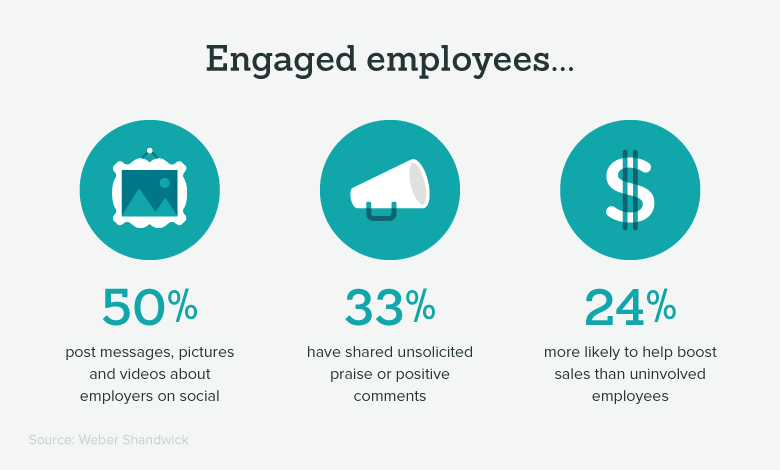
Which is what amount for such intranet:
- Engagement, connection, and interactions: all employees get to know each other and talk with each other
- Ownership and authorship: everyone can and is urged to participate in the conversation and contribute in its own way
All of that helps the employees build relationships.
Workplace by Facebook is a great example.
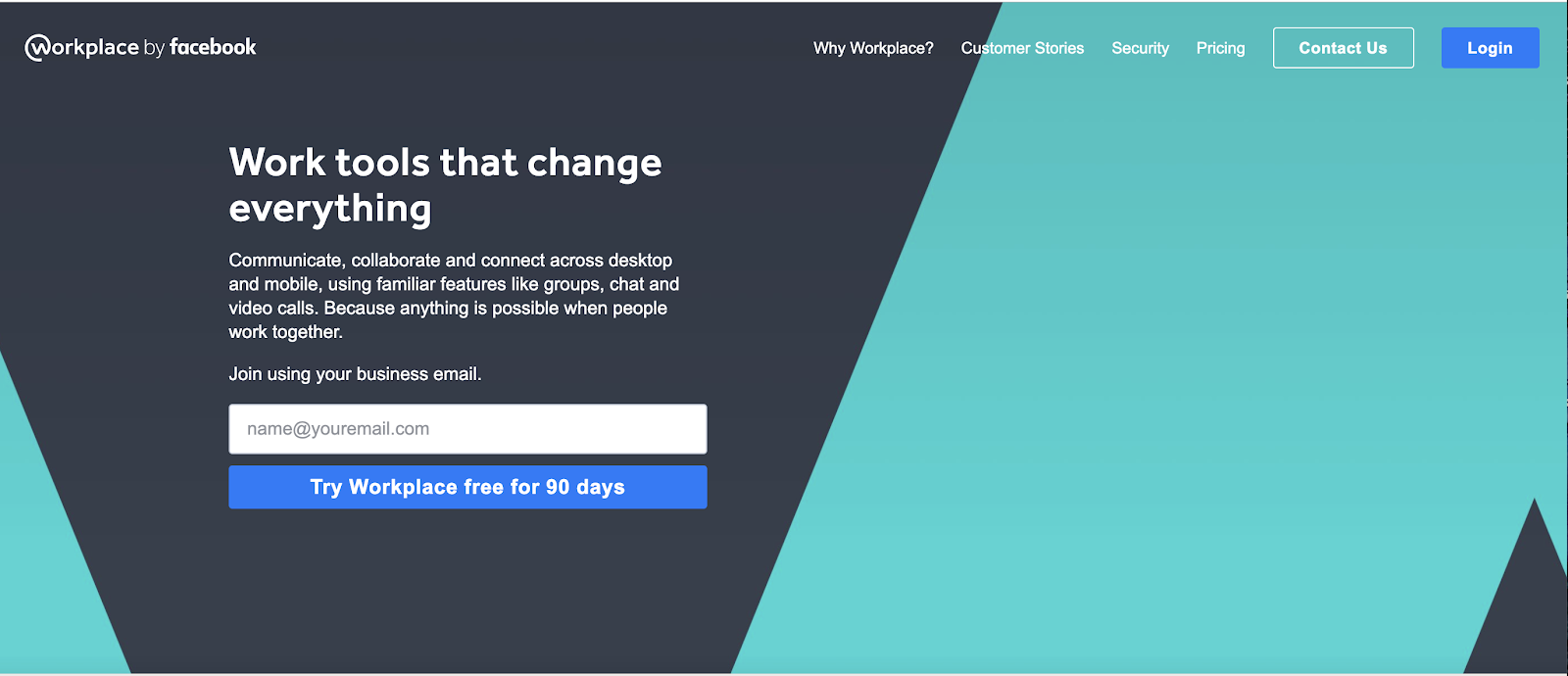
More advanced social intranet software will also include gamification features in order to further empower employees and push them to engage.
It could be the likes of giving points for the number of contributions or challenging employees based on their activity. Axero is a great example.
GamiPress is also a great open-source solution.
What Is an Employee Intranet Portal?
Where social intranets concentrate on interaction, employee intranet portals are the traditional category — constructed mainly on HR features like leave requests, expense tracking, document access, or internal policy hubs.
Prescient Digital’s research shows that about 80% of the companies that have intranets have had one for a significant amount of time, but they have not been used on the whole. Employees visited intranets about once a month, and three/quarter of the total visits were solely for HR purposes. The answers are almost always the same. Lack of social engagement and bad UX.
The answer is not to select one category over the other. The answer lies in the integration of the two. An intranet platform should focus on what makes the work easier and remove the features that do not serve the team.
Useful intranet features to look for:
- Social features: comments, likes, Q&A, FAQ, tagging
- Content sharing and a searchable knowledge base
- Strong internal search
- Version history and collaboration transparency
- Role-based access and permission management
If employee engagement or leave management is a priority for your team, make sure it’s on your feature checklist before you commit to a platform.
What Is an Extranet?
An extranet is an internal staff communication system with a private, permission-based communication space for clients, partners, or outside stakeholders.
We can now differentiate between intranet and extranet portals and focus on the next pertinent question: how do companies implement the new system? Cloud computing is the most common resource most companies rely on to build new systems rather than custom on-premise systems. This resource will lead us to cloud computing options.
Different Cloud-Based Intranet Solutions
A notable study on intranet systems by Prescient Digital concluded that there is no dominant intranet system. Companies are dispersed across the available intranet systems, indicating that there are no clear or universally accepted intranet solutions. Your goals, budget, and available technical resources will guide your choice of an intranet system.
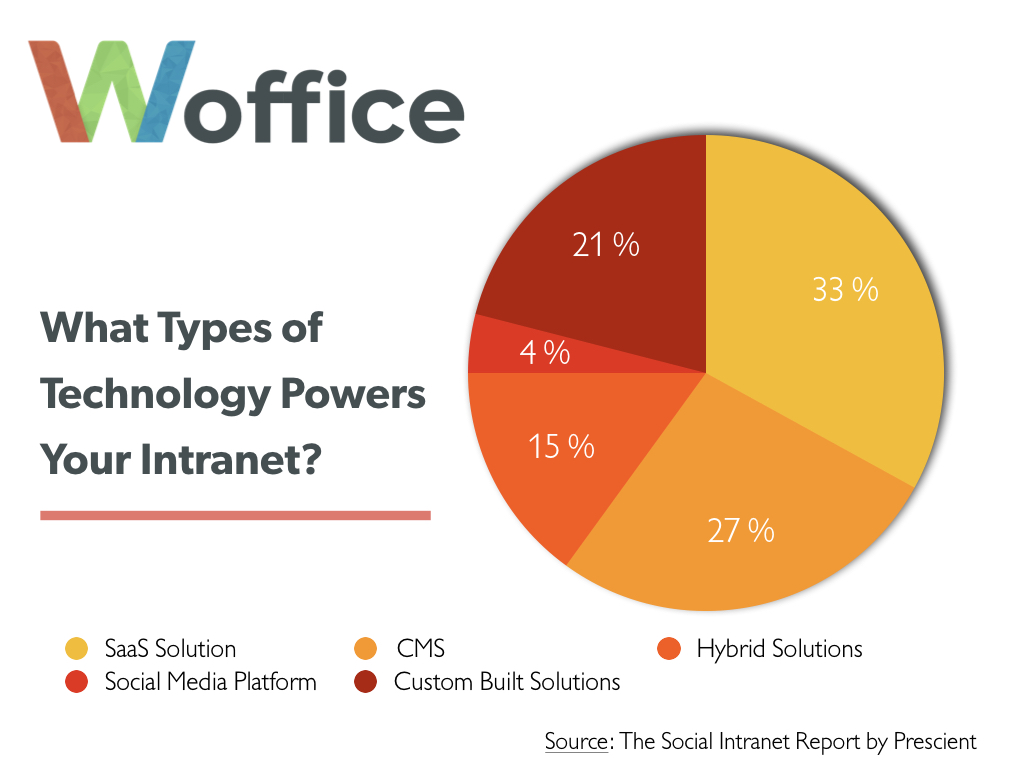
Why Companies Choose SaaS Intranet Platforms
SaaS (Software as a Service) acts as a subsystem of a broader intranet SaaS market, and exemplifies a growing, rapid solution to a problem system. The following factors explain the reason for the intranet SaaS market rapid growth:
- Cost and ease of use. Little or no technical skill is required. This factor has a direct impact on ease of use.
- Performance and uptime. System providers manage hosted systems
- Low commitment. This is also typical of the intranet SaaS market.
SaaS systems can also launch efficient, user-ready systems after a 30-minute implementation period compared to the 6–9-month average of their on-premise systems.
SaaS Intranet Downsides
Convenience comes at a cost. Performance suffers with high metrics of your employees since it is a shared resource with other customers of the provider. Customization is also a flaw. You are limited to what the vendor has built and may need to pay extra for a more flexible, costlier, and less user-friendly product for your edge-case requirements.
Besides the cost, you also do not own the product. With a SaaS intranet, you are tied to per-user fees for every new employee. The cost continues to grow with your company and every new employee.
Popular SaaS Intranet Providers
- Workplace by Facebook — rated 3.9/5 on G2 with roughly 800 reviews; strongest for large, distributed teams that want a familiar social-feed UX.
- Jostle — rated 4.3/5 on G2 with around 50 reviews; a simpler, more lightweight option for smaller teams.
- Unily — an enterprise-grade platform with deep feature coverage, aimed at larger organizations with bigger budgets.

Workplace by Facebook
You can browse more options on Capterra’s intranet software listing.
A WordPress-Based Alternative to SaaS Intranet Platforms
WordPress can genuinely compete with SaaS-based intranet tools if you’d rather have absolute ownership over your platform instead of the perpetual payment for user access. Themes like Woffice, for example, let you build the entire system for your internal communications, including employee directories, private groups, document sharing, project management, and even HR tools and knowledge bases with no recurring payment and full control of your data, design, and hosting.
While SaaS based intranets charge you on a perpetual basis for each employee, Woffice has a one-time licensing fee. You own the code and control the data, and can make the platform as extensive as you like with the 50,000+ WordPress plugins.
WordPress Intranet Downsides (and How Woffice Solves Them)
Downside: Requires setup and technical skill. Woffice reduces this significantly with pre-built intranet features: user directories, private groups, document sharing, and a one-click demo importer, so you’re configuring an existing system rather than building one from zero. WordPress developers are also widely available at reasonable rates if you want a fully hands-off setup.
Downside: You’re responsible for security and maintenance. With managed hosting and standard WordPress security practices in place, a Woffice-based intranet can meet enterprise-grade security standards without the data lock-in that comes with a SaaS vendor holding your information.
Open-source options exist too. If budget is the only constraint, BuddyPress is a free way to bootstrap a basic intranet layer on WordPress. For teams that want better design and more advanced features out of the box, premium themes are the better long-term investment. The main WordPress intranet solutions worth evaluating are Woffice, Alliance, and Thrive; see our full breakdown of the best WordPress intranet themes for a side-by-side comparison.
Selecting the Best Intranet Solution
SaaS Solutions can be appropriate for large enterprise customers with sufficient IT resources and a budget to cover the cost, especially if user-based subscriptions are a consideration.
For small and mid-sized teams that prefer to avoid costs that grow with the number of new hires, a WordPress-based intranet powered by Woffice is a more strategic choice when ownership, long-term cost benefits, and the flexibility to design what is needed are preferred.
Discover the benefits of using Woffice to create personalized WordPress intranets for your business that don’t have per-user costs.
Intranet Software: Key Terms to Know
Whichever direction you go, most intranet software decisions come down to a handful of core concepts: intranet software, SaaS intranet platforms, WordPress intranet solutions, internal communication tools, and knowledge management systems. Understanding how these fit together and where a solution like Woffice sits in that landscape makes it much easier to evaluate any vendor you’re considering.
Wrap Up
Intranet software is one of the fastest ways to boost team collaboration and productivity. There are other collaboration tools worth a look, too, but an intranet remains the all-in-one starting point most teams need.
Want your intranet live in 15 minutes? Check out Woffice, the go-to WordPress intranet solution, or see how it compares to lightweight options if you’re not sure how much platform you actually need.
Frequently asked questions
What is the best intranet software for small businesses?
For small and mid-sized teams that want to avoid recurring per-user fees, a WordPress-based intranet like Woffice is typically the most cost-effective option, since it’s a one-time license rather than a monthly subscription.
Is SaaS or WordPress better for an intranet?
It depends on priorities. SaaS platforms (like Workplace by Facebook or Jostle) are faster to launch and require no technical maintenance, but cost more over time and offer less customization. WordPress intranets (like Woffice) cost less long-term, offer full data ownership, and are more customizable, but require some initial setup.
Do I need coding skills to set up a WordPress intranet?
Not necessarily. Premium themes like Woffice come with a one-click demo importer and pre-built features, so most teams can launch without writing code. For deeper customization, WordPress developers are widely available at reasonable rates.
What features should good intranet software include?
Look for a knowledge base, internal search, role-based access control, document sharing, and social features like comments and activity feeds plus HR tools (leave requests, employee directories) if your team needs them.