
 "
"
Benefits of Using a WordPress Intranet






TL;DR
- A WordPress intranet is a private internal website that centralizes company communication, files, and workflows in one place.
- Traditional intranets were expensive and IT-heavy; a WordPress intranet plugin like Woffice makes the same functionality affordable for small and mid-sized teams.
- Core intranet benefits WordPress users get: centralized information sharing, a searchable knowledge base, lower software costs, and better internal communication.
- Woffice intranet system bundles user profiles, private messaging, groups, project/task management, a shared calendar, file sharing, and a wiki into one internal company portal.
- Extend it further with forums, e-learning, badges, media galleries, and caching plugins, which are all compatible with a business intranet WordPress setup.
Adopting an intranet is a choice successful organizations make to enjoy numerous benefits. The number of applications and service providers within an organization is expanding. Therefore, employees must be able to view and keep up-to-date with what is going on in the organization more easily.
What exactly is an intranet? How does it differ from an extranet? How is it advantageous to my organization?
Woffice is a WordPress intranet and workspace system designed specifically for building private internal portals for teams, organizations, and membership-based communities. Throughout this guide, we’ll show you exactly how a WordPress intranet plugin like Woffice turns the concept below into a working system.
What Is An Intranet?
An intranet is a website or an application operating on the company network that aims at gathering all the resources of the company in a single place. In simple terms, you could define it as a database with a beautiful user interface.
An intranet gathers the resources of a company and unifies the employees in a single direction: the success and improvement of the company. At the most simple level, an intranet can be a network resource where files can be shared with the company’s members who have access. An example of an intranet like this would be a shared folder.

What is a WordPress intranet?
A WordPress intranet is a private internal website used by organizations to manage communication, documents, teams, and workflows. Solutions like Woffice transform WordPress into a fully functional WordPress intranet system for businesses, agencies, and membership-based communities without the enterprise software price tag.
Even so, there would be few advantages to a simple shared folder intranet system. Users would be able to share files, but other potential productivity benefits from features like internal messaging, project management, task assignment, or shared calendars would all go unused.
To include these options, you would need to hire a professional to create a private intranet system (a website is a much easier option to create than a software system). While it doesn’t need to be aesthetically pleasing, it does need to be functional. Because of the way the system is set up, this website will be available only to intranet users.

Traditional intranets were static, expensive, and difficult to maintain, often requiring dedicated enterprise software and IT teams to keep them running.
Modern intranets built on WordPress, especially Woffice-powered intranet systems, are flexible, modular, and accessible to small and medium businesses that could never justify an enterprise contract. A single WordPress intranet plugin setup now combines:
- User management
- Internal communication
- Project collaboration
- Document sharing
- Role-based access control
This shift is why WordPress-based options now sit alongside and often replace legacy enterprise intranet software for teams under a few hundred people.
Purpose Of An Intranet
An intranet is put in use so that the organization’s employees can improve task management and assignment processes, send alerts, communicate, share files and content easily, and boost the social atmosphere of the company.
It meant improving the productivity of the team.
In the end, an intranet is a great way to improve communication and the information shared inside a company. Better communication means better workflow: project deadlines are met faster, important files are at your service, and easily accessible.
On top of that, it can also decrease your expenses. So, convinced by the benefits of such an intranet?
How Is An Extranet Different?
An extranet is conceptually the same thing but, technically, it is used when the members (in our case – company employees) are located in different places and cannot access the same local server.
A simple example could be a company with offices in different cities. However, you can also use an extranet even if you are in the same building as web servers are way cheaper than private servers.
Benefits Of WordPress Intranet for Business
Sharing Information
All your users can now access and share facts with different permissions according to a defined role – which is relevant to their occupation or department. Thus, you also make sure that everyone in the company is on the same line: you won’t have any guy using the old logo or the old branding. You are then improving the overall business efficiency.
With Woffice, permission-based sharing is built in from the start: every role, i.e, of employee, manager, client, or partner, only sees what’s relevant to them, which keeps a growing WordPress intranet plugin setup organized instead of chaotic.
Curated Content And Saving Time
Owing to the number of changes and updates that tend to occur in your company, but also in your area, week-to-week information can become difficult to find. At Alkalab, we wanted to address this and create a single location where everyone would be able to find an answer to their question.
That’s where the wiki base, or knowledge base, comes in: it allows any teammate – or the ones we want to be able – to create a topic about something he stumbled across, or he simply knows about, and he wants to ensure that this “common” (or not so common) topic is now easily solvable.
Therefore, in this case, your intranet provides you the ability to share resources and best practice between your employees, and so incentivise collaborative working. It can also act as a training platform if you publish online training content for example.
Last but not least, when your guys run into an issue, as they are able to share the “hack”, overtime, you are raising the level of customer service: better access to accurate and consistent information by your staff.
Woffice’s internal knowledge base and wiki module handle this natively, so a WordPress intranet using Woffice doesn’t need a separate documentation tool bolted on.
Reducing Costs
As of now, you’ve seen that an intranet allows you to: share companies’ and clients’ information, store valuable resources, train your staff, ease collaboration and interaction; but it also lets you manage projects with, as far as we are concerned, a project management tool. It’s worth noting that you can, of course, add your custom or third-party integration.
As a consequence, you’re reducing your costs by reducing the number of tools and licenses. This is the same logic behind pairing an intranet with broader business operations tooling — the fewer standalone systems you’re paying for and maintaining, the more you save.
Better Communication
What’s more, corporate information such as memos, handbooks, staff news and announcements can be disclosed in one place and stored over time.
In a Woffice internal workspace, announcements, project updates, and staff news all live in the same activity feed members already check daily, so nothing gets lost in email.
With the benefits being covered, we’re now convinced that an intranet is what we need. Building such an intranet would entail certain costs and take some time.
Why Choose WordPress For Your Business Intranet?
WordPress is the most frequently used Content Management System (CMS) in the world. It was born for blogging – but nowadays it is so much more!
● WordPress 26.4% of the web, according to WordPress.com and w3techs
● 62 translations of WordPress are available
● WordPress is behind 30% of the top 1,000 websites
● 54 000+ WordPress plugins and growing daily.
Besides those outstanding facts, WordPress provides a basis for your intranet and lets you customize it.
A lot of features are already provided in themes or plugins, and there are numerous themes built for intranets and extranets.
So, you just need to install a brand new theme and set it up.
Furthermore, you can extend its features in a sec: you have 54K plugins available for you and you can easily create your own, or call out for help from freelancers or WordPress experts. It offers you a lot of ways to improve your intranet: forum, cache, paid membership, slider, etc.
It offers you a lot of ways to improve your internal company portal: forums, cache, paid membership, sliders, and more, all of which turn a plain WordPress install into a genuine business intranet on WordPress.
Intranet Best Practices
User profile and information
Every user can have his/her own page, where important (or less important) information, such as email, phone number, office number, team or group memberships, etc., can be displayed.
Private messages
You can send messages to other members or groups. In a Woffice intranet system, private messaging can also push alerts straight into your team’s existing tools; for example, you can connect Slack to your WordPress intranet so members get notified the moment a message or task update lands.
Create groups for members
Members can be grouped by work team, section, or company department. Groups can also be used for more social purposes. Here, group membership roles can be managed: by making them visible to all or not, by allowing all members to request to join the group or not.
Internal blogging news
Blog posts are, of course, in the core of WordPress, so you can have a space for news, announcements and official communication available only to the members of your company.
Project and task assignment
This is a very important feature, which can boost your performance. With the right theme or plugin, you can have a space for each project, where you can assign tasks to members, share documents, links or any pieces of information, publish comments or announcements for all members, keep track of progress using the task bar.
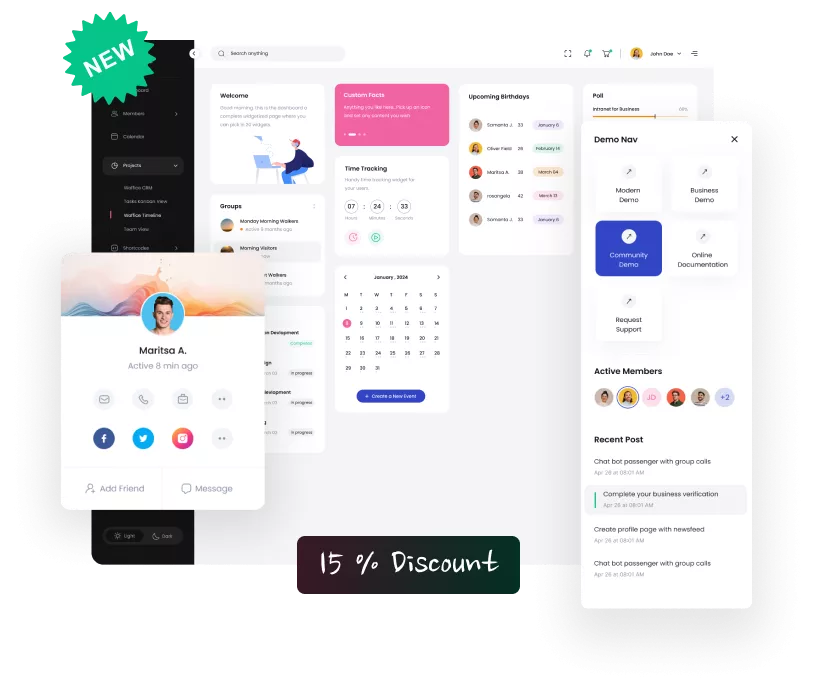
Calendar
Taskbar doesn’t require much explanation: you will have a calendar where all employees can see appointments, project deadlines, new events, etc.
File sharing
You can manage folders and subfolders, upload files that the employees have to use on a daily basis.
Knowledge Base
Easily handle a wiki for basic information (something like the following image), including revisions, hierarchy, categories and searches.
Manage user membership across your app
You can assign different roles to members, with each role having its own permissions. Members with the right permissions will be able to edit pages, projects, wiki content, publish news, and so on. If you want tighter control over who joins in the first place, you can also manually approve new user registrations before they get access to the intranet.
Members can do everything from the FrontEnd – they will never see the WordPress dashboard and environment, so no need to be a WordPress expert.
Finally, the last point that must be handled thoroughly, as for any WordPress website, is the security. We have shared the best practices when it comes to securing your WordPress website in this article.
As I have already told, if you want your company’s intranet to enjoy good features, you need to use the right theme and plugins.
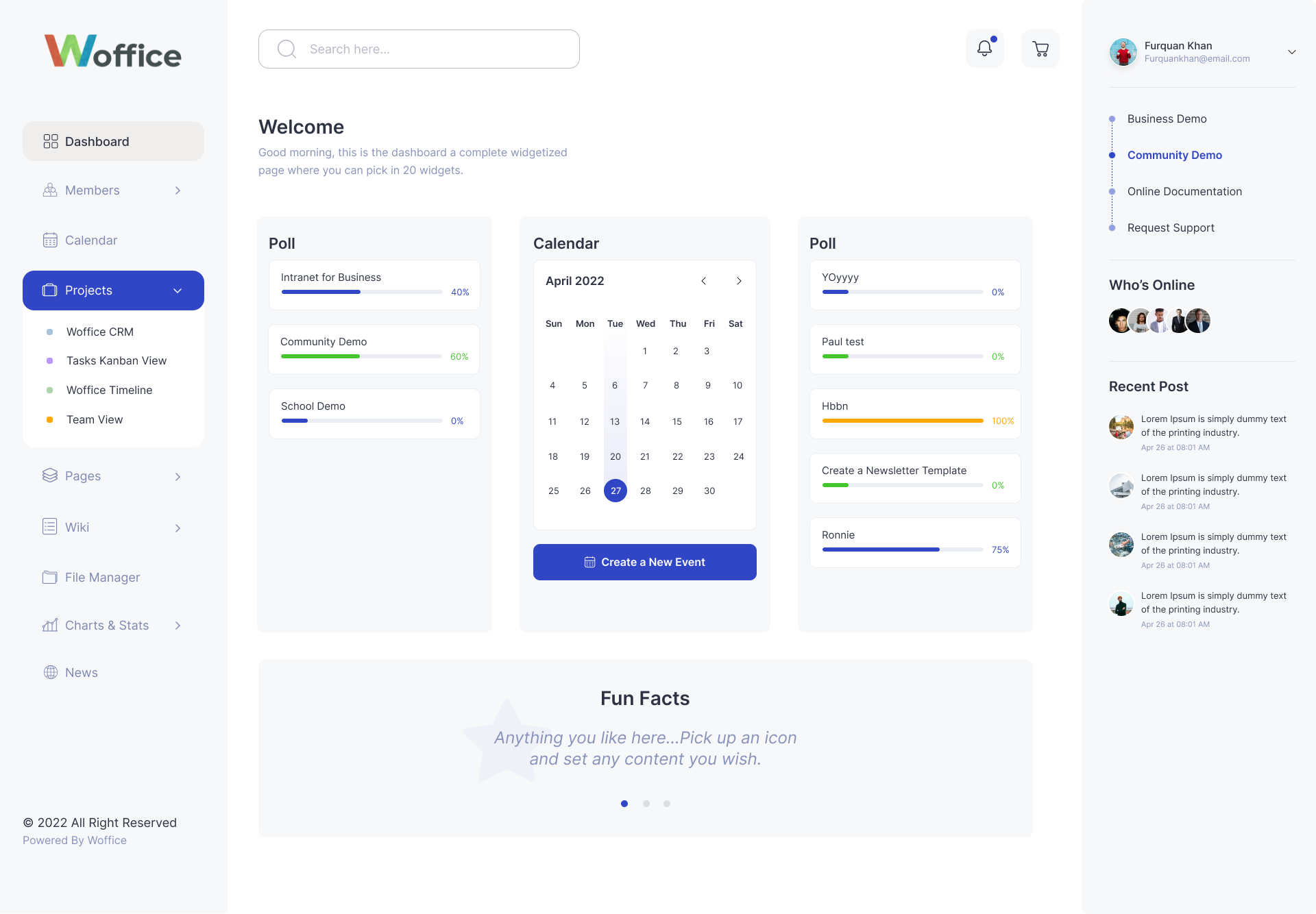
Woffice is a WordPress theme designed specifically for intranet and extranet. It contains all the core plugins and features that your intranet needs. And it also includes some premium plugins worth $120.
Thus, you can save a lot of money and time.
As of the date of updating this article, 16,000+ happy customers have already chosen Woffice for their companies.
Woffice is a responsive theme, so it is accessible from all devices: desktops, laptops, smartphones, and tablets. In addition, it is translation-ready, and it has already been translated into more than taskbar languages!
WordPress Intranet Setup with Additional Plugins
Here is a small list of some other features that can improve your intranet performance. All these features are achievable with plugins perfectly compatible with Woffice:
● Forums with BBpress: It is forum software with a twist from the creators of WordPress. It allows you to easily create and manage a forum space.
● Courses & online teaching with LearnDash: Do you need a training area for your employees? This plugin is perfect for this purpose. It allows creating courses, lessons, assignments and easy management of all contents.
● Badges with BadgeOS: Does your company have the “Best employee of the month” theme? Thanks to this free plugin, you can create achievements and issue sharable badges.
● Albums & videos with rtMedia: Add albums, photos, audio and video encoding. Set privacy, sharing, frontend uploads and more. All this works also on mobile and tablet devices.
● Calendar and events with Pro Event Calendar: Provides a stylish and powerful calendar solution for the members of your intranet. This is one of the premium plugins included in Woffice for free.
● Cache with WP Super Cache: This free plugin increases the performance of your pages.
● WordPress document library & wiki with Posts Table Pro. If you have a lot of documents or wiki articles to share in your wiki, then you can make them easier to find by listing them in a searchable, filterable table layout. This premium plugin lists your intranet content in a way that looks fantastic in Woffice.
Conclusion
In a nutshell, an intranet preserves resources and shifts your internal assets, tools, and exchanges into one centralized location instead of several scattered locations.
If you or your teammates are tired of dealing with dozens of tools every day, this is the sign that an intranet might be a good solution for you. A modern WordPress intranet plugin like Woffice brings all of that into a single internal company portal, without the enterprise price tag or the months-long setup.
We hope that this article has given you a taste of how a business intranet on WordPress can bring value to your company.
Feel free to drop any comment, feedback, or reaction.
Woffice WordPress Intranet System FAQs
What is an intranet in WordPress?
A WordPress intranet is a private internal website used for communication, collaboration, and business management, built on the WordPress CMS instead of standalone enterprise software.
What are the benefits of using an intranet for business?
It improves communication, centralizes documents, enhances collaboration, and increases productivity, while typically costing far less than dedicated enterprise intranet software.
What is Woffice used for?
Woffice is used to build WordPress-based intranet and extranet systems — internal business portals with communication, project management, and membership tools built in.
Is WordPress good for building an intranet?
Yes. WordPress, combined with a theme or plugin built for the purpose, such as Woffice, can effectively serve as a full business intranet at a fraction of the cost of enterprise-only platforms.